Instagram DM automation: send a DM when someone comments
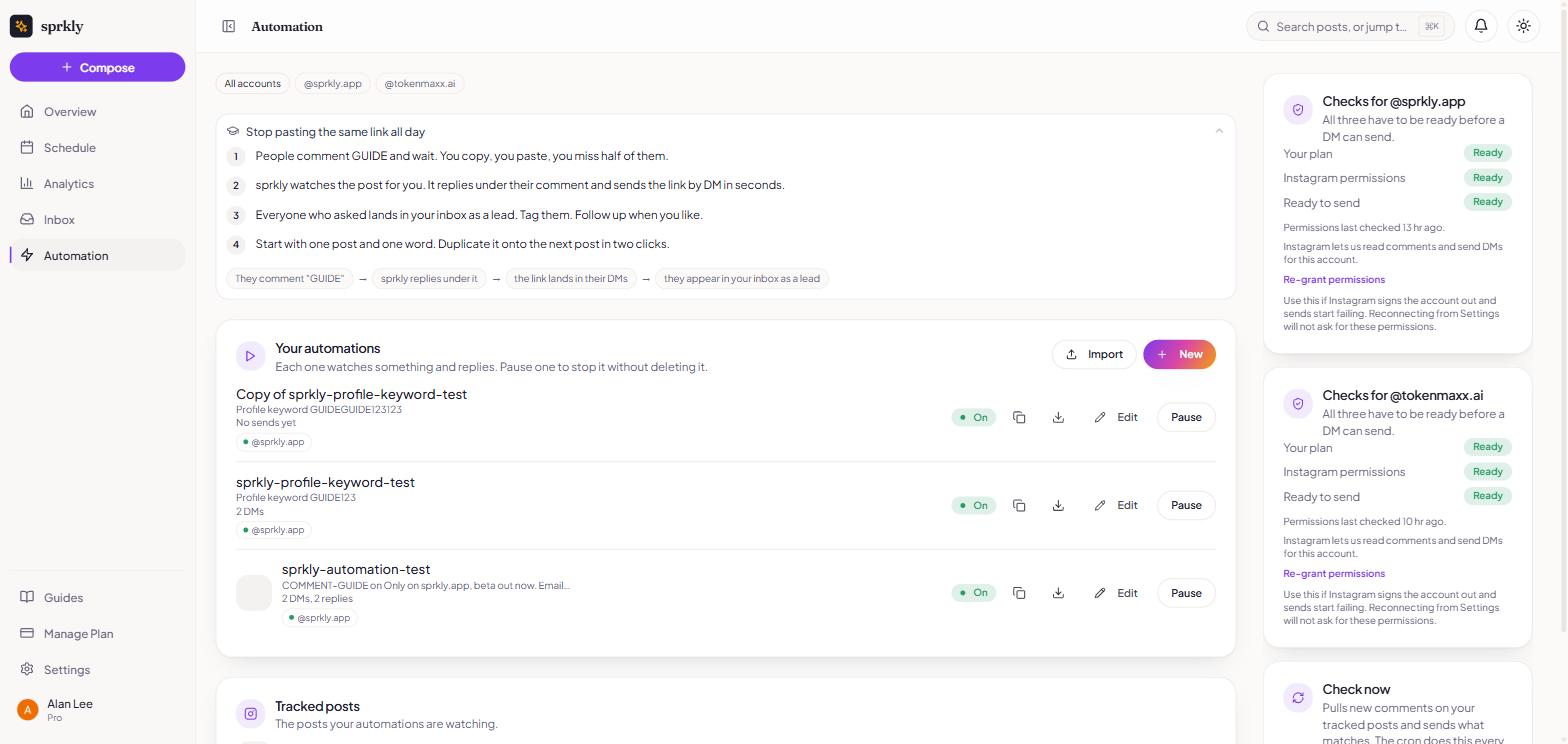
Pick a post and a word. When someone comments it, sprkly sends them your link in a DM. Every chat lands in one inbox.
On every plan. 7 days free, no card.
How it works
- 1
Connect Instagram.
Use a Business or Creator account.
How to connect - 2
Pick a template, a post and a word.
Add your link.
- 3
Go live.
sprkly sends the DM. The chat lands in your inbox.
Send a DM when someone comments a word
- Pick one post or Reel, and a word like GUIDE.
- Or use one word on any recent post.
- Not posted yet? Pick "My next post". It starts when the post goes out.
- Reply to the comment in public too, so others see it works.
- Send a link, a guide or a code.
Answer DMs and story replies
- Someone DMs you a word. They get your answer.
- List the questions people ask most. Each word gets its own answer.
- Set a default reply for anything else.
- Answer story replies. Thank people who mention you in their story.
- Follow up an hour later if they go quiet.
Grow your list, not just your likes
- Ask people to follow you before they get the freebie.
- Ask for their email, then send the link.
- Send shop links or coupon codes.
One inbox for every chat
- Instagram comments and DMs, in one place.
- Tag people, so you know who asked for what.
- Step in any time. The bot steps back for 5 minutes, or until you hand it back.
- Reply as your account, right from sprkly.
Start from a template
- Pick a ready template. Pick the post or the word. Go live.
- Run one automation on several accounts. Each gets its own copy.
- Save a template as a file. Share it, or import one.
- Or ask your AI agent to set one up for you. See how
What you get on each plan
- Every plan includes DM automation.
- Free: 10 contacts a month per account.
- Creator: 100 contacts a month per account. US$4.50 per account a month.
- Power: 1,000 contacts a month per account. US$9 per account a month.
- A contact is a person sprkly messaged that month. People you already messaged keep getting answers after you hit the limit.
What it does not do
- Instagram only. No Facebook, TikTok or X DMs.
- It needs a Business or Creator account. Personal accounts will not connect.
- One DM per comment. That is Meta's rule, for every tool.
- It only writes to people who wrote to you first. No mass DMs.
- It does not show link clicks or sales.
Questions
Is comment to DM allowed by Instagram?
- Yes. sprkly uses Meta's official API, the same private reply feature every comment to DM tool uses.
- Meta approved sprkly for messages and comments in October 2026.
How many DMs can I send to one person?
- One DM per comment, sent within 7 days.
- If they reply, you can keep talking for 24 hours after their reply.
- No reply means the chat is over.
What counts as a contact?
- A person sprkly messaged for you this month, on one account.
- Free includes 10, Creator 100, Power 1,000, per account.
What happens when I hit my limit?
- sprkly stops messaging new people until next month.
- People it already messaged this month still get answers.
Do I need a Business account?
- Yes. A Business or Creator account. You can switch for free in the Instagram app.
Can I reply myself?
- Yes. Open the chat in the sprkly inbox and type. The bot steps back while you talk.
Keep going
Turn your next comment into a chat.
On every plan. 7-day free trial. No credit card required.