A content ideas board for your next posts
Write an idea down the moment you have it. No account, no time. When it is ready, press Create post.
On every plan. 7 days of Creator free, no card.
How it works
- 1
Save an idea.
In the composer, press Save idea. Keep the caption, photos or video if you have them.
- 2
Move it along.
Drag it from To do to In progress.
- 3
Press Create post.
The composer opens with your idea. Pick the apps and the time.
Save an idea in seconds
- An idea needs no account and no time.
- Keep the caption, photos and videos with it.
- Give it a name and a niche, like food or fitness.
- Or ask your AI agent to draft a post. It shows up in your ideas. See how
A board that shows what is next
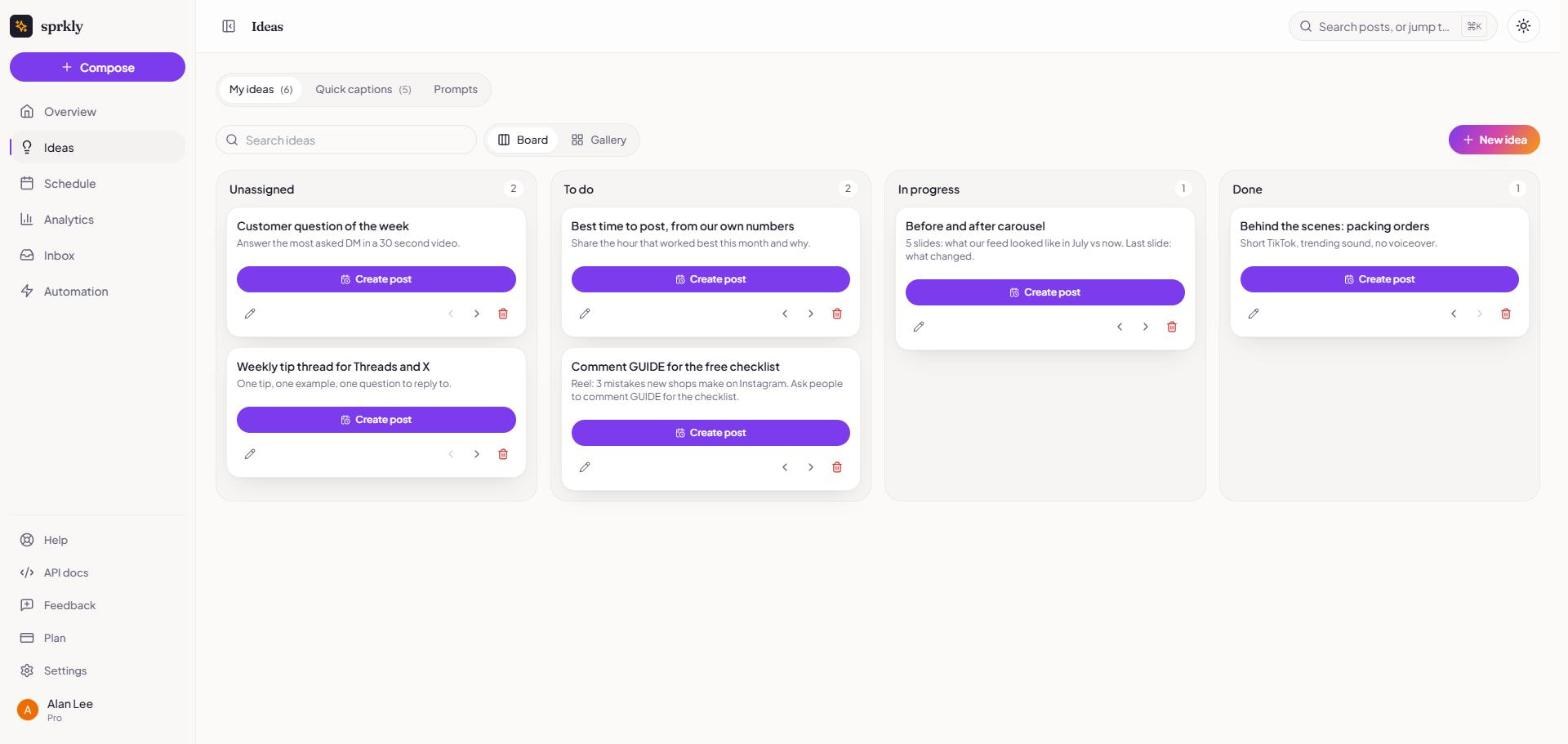
- Four columns: Unassigned, To do, In progress and Done.
- Drag a card, or use the arrows on it.
- On a phone, pick the column from a list.
- Switch to the gallery to see your ideas as pictures.
- Search your ideas, or filter by niche.
One idea, many posts
- Press Create post and the composer opens with your idea in it.
- The idea stays, and moves to Done.
- Use it again for another app or another week.
Stuck? Start from a prompt
- 20 prompts, sorted by niche.
- Write post opens the composer with the prompt in it.
- Save as idea puts it on your board.
- Try this one: "What question do your customers ask you the most? Answer it here."
Quick captions
- Save a caption you use a lot, like your call to action.
- Add a hashtag group to it.
- Copy it with one press.
What it does not do
- An idea never posts by itself. Press Create post, then schedule it.
- Ideas have no date. You pick the time when you make the post.
- It does not think up ideas for you. Use the prompts, or ask your AI agent.
- Deleting an idea cannot be undone.
Questions
Is the ideas board free?
- Yes. Ideas are on every plan, Free too.
Does an idea need an account or a time?
- No. Add those when you make the post.
What happens to an idea after I post it?
- It stays on the board and moves to Done.
- You can make another post from it.
How many prompts are there?
- 20, across niches like food, fitness, travel and business.
Can I see my ideas as pictures?
- Yes. The gallery shows the first photo or video of each idea.
Can my AI agent add ideas?
- It can draft a post for you. The draft shows up in Ideas.
- On the free trial, Creator and Power.
Keep going
Never lose a post idea again.
On every plan. 7-day free trial of Creator. No credit card required.